Getting started
This guide takes you from your first sign-in to useful job matches and a saved application. You do not need to understand every part of the dashboard before you begin.
Complete your profile in stages
Start with the job you want and your working preferences. Add a location if you want on-site or hybrid work. Before generating a CV or cover letter, add and confirm the career information you want the draft to use.
1. Create your account and sign in
Register with an email address you can access. Account and password-reset messages are sent there.
If a message does not arrive, check spam or junk folders, wait a few minutes and try once more. See account and password help or contact support@jobseekercopilot.com if it still does not arrive.
2. Set up your first search
Use the profile cards to add:
- the job titles you want to find;
- whether you want on-site, hybrid or remote work;
- your location and commuting distance when location matters;
- preferred working patterns and employment types; and
- your availability.
You can return and change these details later. Before creating documents, also add the professional contact details you want shown on your CV or cover letter.
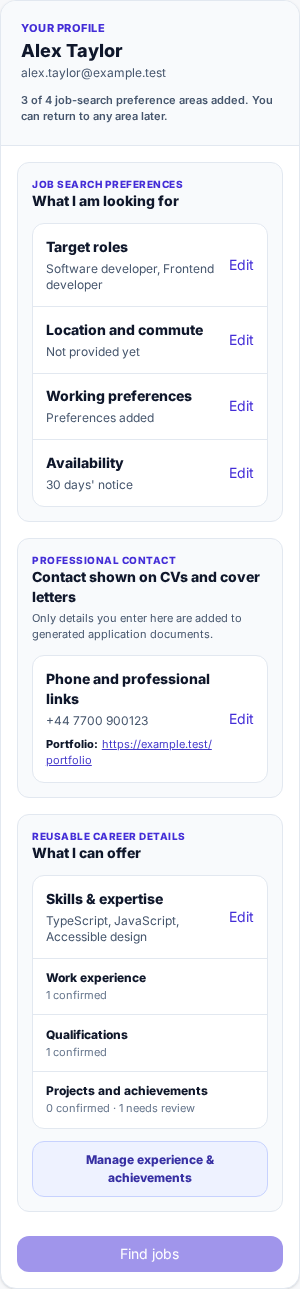
The profile is split into short sections. Select Edit beside the section you want to change. This fictional example contains demonstration data; select the image to enlarge it.
3. Add your previous jobs and other career information
Open Experience & achievements from your profile or account menu. Accurate career information gives the application a factual basis for tailoring documents. It is not required merely to browse vacancies.
You can record:
- employment and freelance work;
- education, qualifications and training;
- projects and volunteering;
- achievements and relevant career breaks; and
- other useful experience.
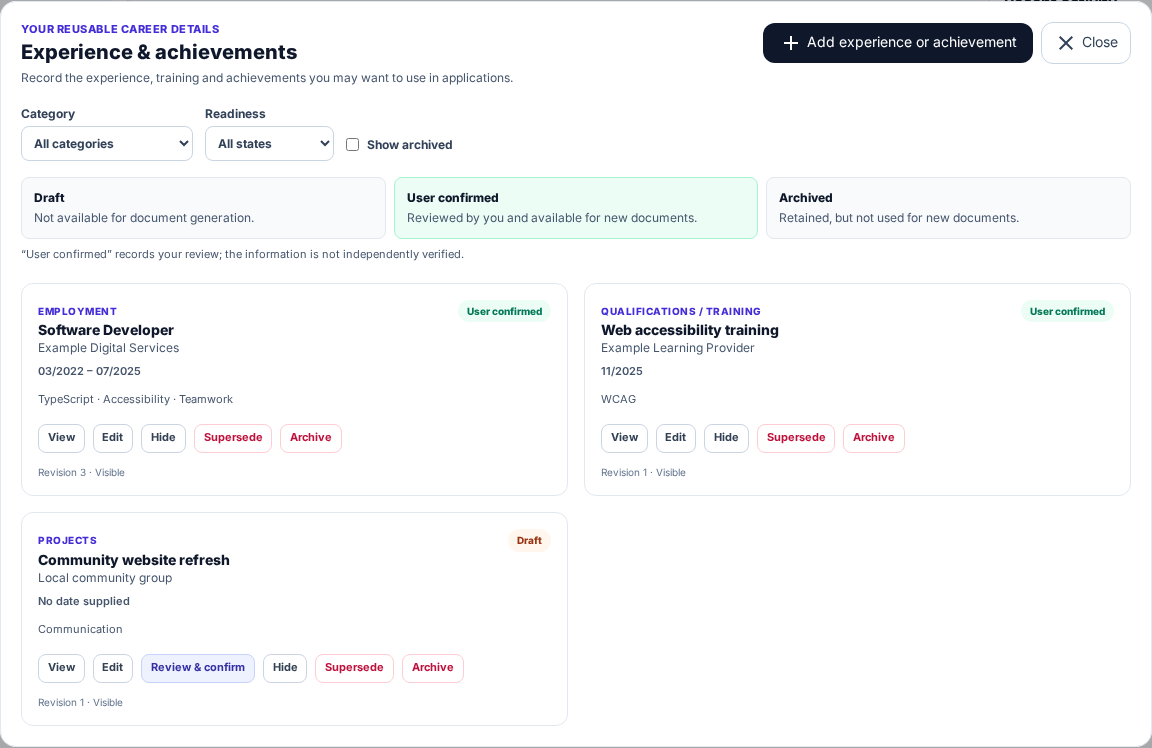
Use the manager to add, review and update reusable career details. This fictional example contains demonstration data.
Add a previous job
- Select Add experience or achievement.
- Choose Employment.
- Enter the role, employer, start and end dates, and a concise description.
- Select Add more detail to record responsibilities, outcomes, achievements, demonstrated skills or useful supporting links.
- Select Save as draft.
- Review the saved entry and select Review & confirm when it is accurate.
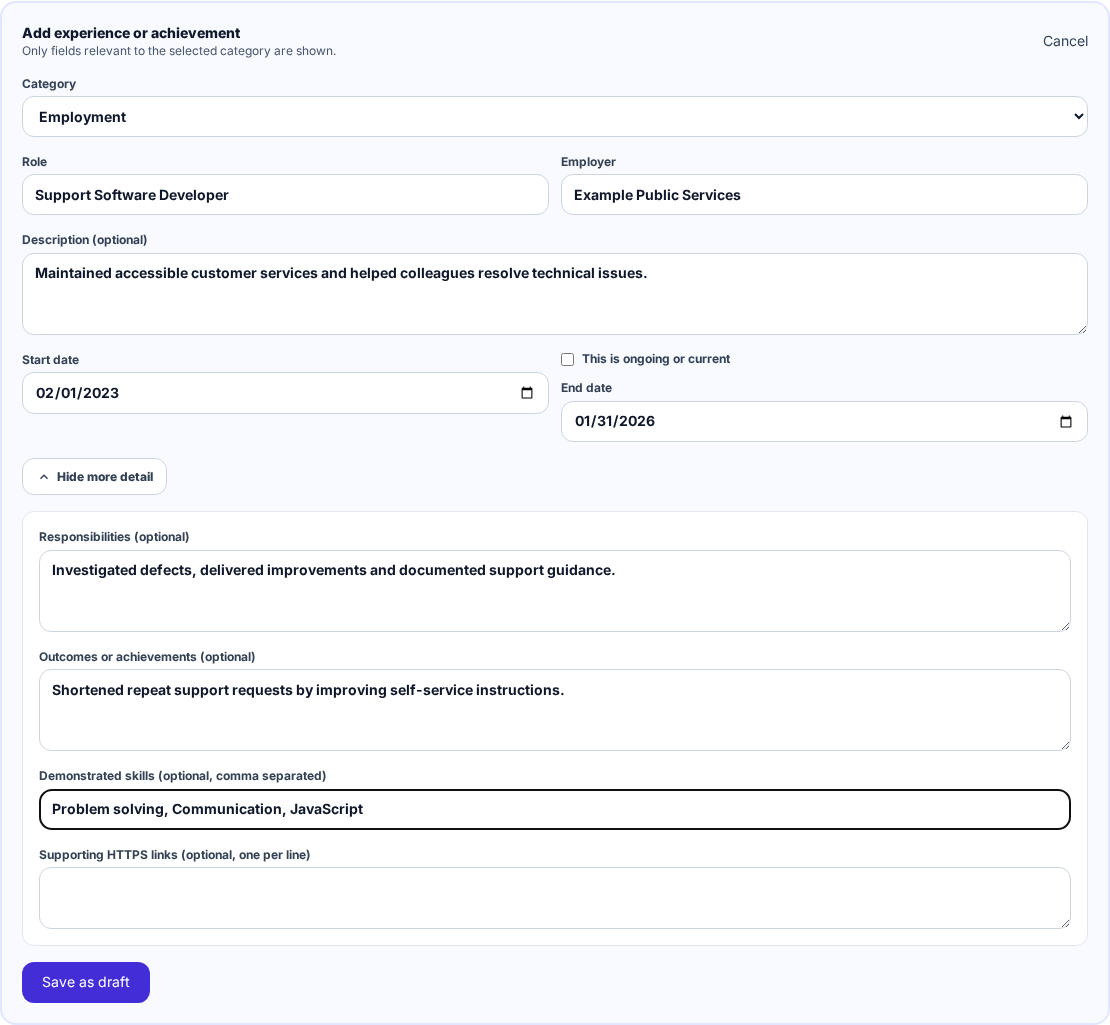
Focus on factual, relevant information that you would be comfortable checking in a finished application. This is demonstration data, not a real person's work history.
Draft and User confirmed mean different things
A Draft is saved but is not available for new document generation. A User confirmed entry has been reviewed by you and can be used in future documents. “User confirmed” does not mean Job Seeker Copilot independently verified it.
If the application says existing work history was moved into Experience & achievements, review and confirm each accurate entry before expecting it to be used in a new document.
Add enough detail to support the roles you want, but keep it truthful and relevant. Do not add confidential employer information, passwords, private credential identifiers to generatable fields, or claims you cannot check.
4. Find and review a job
Open Search and choose one of your target roles. The number beside a role is the total set of matches for that searched role, not just the vacancies currently visible on screen.
Expand a vacancy to read its available details, then follow the source link to check the employer's authoritative advert. Always verify the responsibilities, requirements, eligibility, location, closing date and application instructions.
Match labels help you review results, but they are not an employer decision or a guarantee of suitability. See Finding jobs for help with sources, sorting and filters.
5. Save an application and choose your documents
Save a suitable vacancy to Applications. For the CV and cover letter, choose each option independently:
- Generate creates a tailored draft and uses one generation only after that document is delivered successfully.
- Upload adds your own PDF or DOCX without using a generation.
- Not now leaves that document empty and lets you continue.
You do not have to generate a document to save or track an application. Read Applications and documents for the complete workflow and Generations and payments before buying a pack.
A good first session
Aim to complete one simple journey:
- Add one target role and the working preferences needed for your search.
- Add or confirm one relevant piece of career history.
- Review several job matches.
- Save one suitable vacancy.
- Choose whether to generate, upload or skip each document.
If something is unclear, email support@jobseekercopilot.com. Do not send passwords, card details or sensitive document contents.