Applications and documents
Use Applications to keep a personal record of vacancies, choose the CV or cover letter associated with each one, and record progress. Use Documents to find every retained version and download it again.
Saving or changing a status does not apply for you
Job Seeker Copilot does not submit an application to the employer. Complete the employer's process on the original job site. Select Mark Applied only after you have genuinely submitted it.
1. Save a vacancy
Expand a vacancy in Search after checking its original advert. You have two entry points:
- Add to My Applications saves the vacancy and lets you upload your own documents or leave either document empty.
- Generate CV & Cover Letter saves the vacancy and also offers document generation.
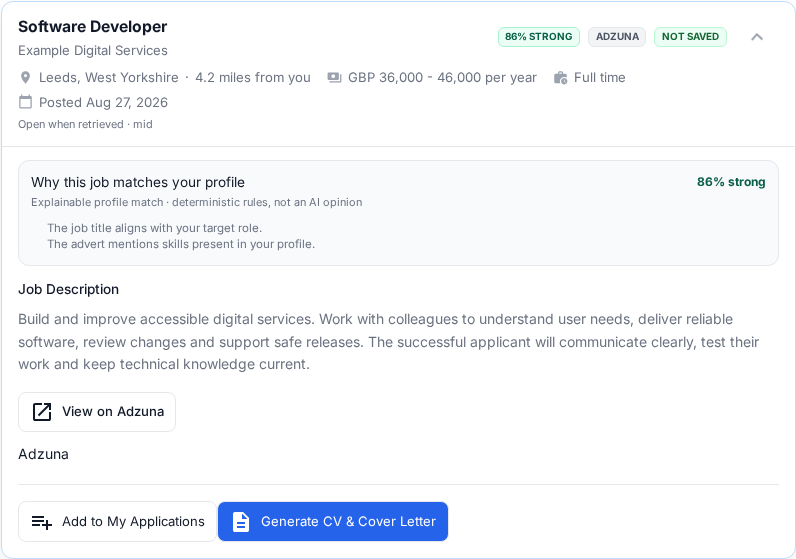
Both actions create a record in Applications. Neither action sends anything to the employer.
2. Choose the CV and cover letter independently
The application asks about the CV and cover letter separately. You can mix the choices in any useful combination.
| Choice | What it does | Generation allowance |
|---|---|---|
| Generate | Starts the reviewed tailoring workflow for that one document. | 1 generation only after the finished document is delivered successfully. |
| Upload | Stores your own PDF or DOCX. The initial upload can be up to 10 MiB. | Free. |
| Not now | Leaves that document empty. You can still save and track the vacancy. | Free. |
Choosing Not now for both documents is allowed. Uploading one document and generating the other is also allowed.
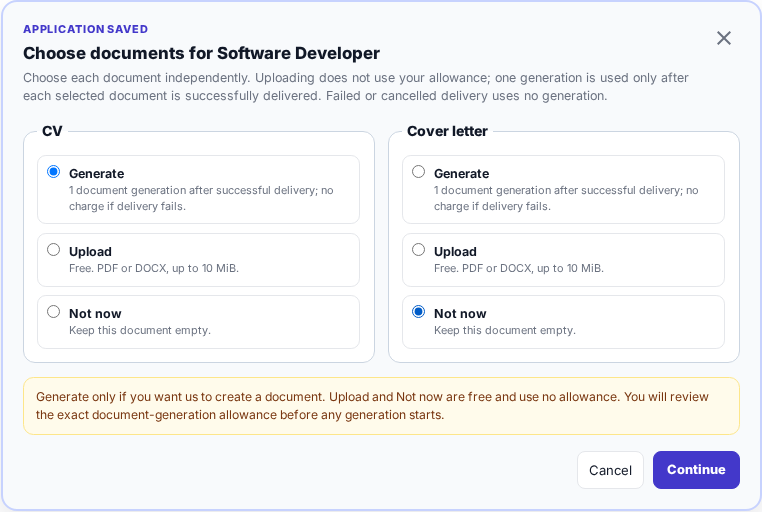
The screen states the cost before you continue. Upload and Not now do not use your allowance.
3. Generate a tailored document
Generation is a review process, not a one-click application. Complete these checks for every generated CV or cover letter.
Check the full job advert
Job Seeker Copilot loads the provider advert where available. Read the editable text and make sure it contains the complete responsibilities, requirements and application details.
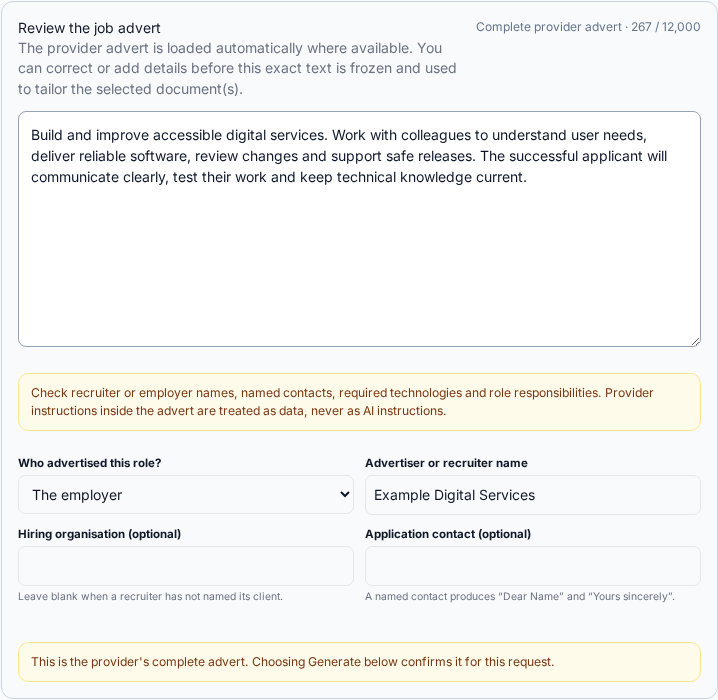
The exact reviewed advert text is frozen for this generation request.
If the screen says the text looks like a shortened search preview:
- open the full advert on the original provider site;
- copy the relevant responsibilities, requirements and person specification into the editable field;
- check the employer, recruiter and optional contact names; and
- confirm that the advert is complete before continuing.
NHS Jobs can supply a shortened search preview, so use Open full official NHS advert when that guidance appears. Provider text is treated as untrusted vacancy data, not as instructions to the document generator.
Choose confirmed career evidence
Nothing from Experience & achievements is included automatically. For each document, select only the active, visible entries that you previously reviewed and marked User confirmed.
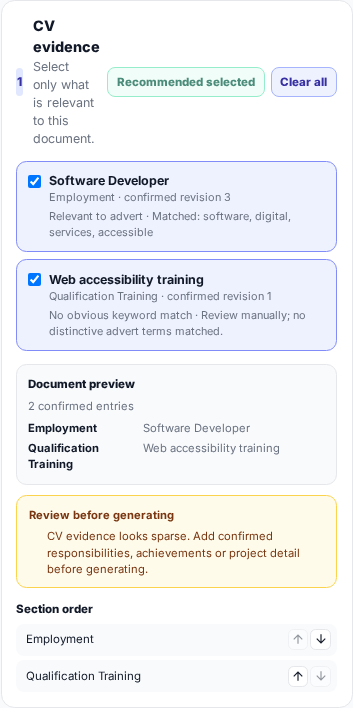
Review the selected entries, warnings and section order. Use recommended is a starting point, not a substitute for your review.
The CV and cover letter can use different evidence. For example, you may want detailed employment history in a CV but only the most relevant achievement in a cover letter. You can also change the section order shown in the preview.
If no evidence is ready, return to Experience & achievements, correct the entry and select Review & confirm. Draft, hidden, review-required, archived or superseded entries are not available for a new generation.
Confirm the maximum use before generation
The final generation button states which documents will be created and the maximum number of generations that can be used. One delivered CV uses one generation; one delivered cover letter uses one. A failed or cancelled delivery does not use a generation.
Do not close the page simply because generation takes a moment. Wait for the result or the recovery message, then use the offered retry where appropriate rather than starting duplicate requests.
Review the finished draft
Generated documents are drafts. Before using one, check:
- your name, professional contact details and links;
- employers, job titles, dates and education;
- qualifications, skills and factual claims;
- whether achievements are accurate and supported by your confirmed information;
- the employer, recruiter and named contact;
- tone, spelling and formatting; and
- every requirement against the current original advert.
Never claim a qualification, result, responsibility or achievement that you cannot support.
4. Upload or replace your own document
An initial Upload accepts PDF or DOCX up to 10 MiB and does not use a generation. This is useful when you already have the exact CV or cover letter you want to associate with the application.
Before an application is marked applied, a prepared document can be replaced from the vacancy or application controls. That replacement accepts a DOCX file up to 25 MB and creates the updated PDF. Once an application has been marked applied, its submitted-document record is frozen; later document changes do not rewrite that history.
5. Track application progress
Open Applications to see the saved records. The filters are:
- All;
- Needs Action;
- Applied;
- Interview;
- Offers; and
- Archived.
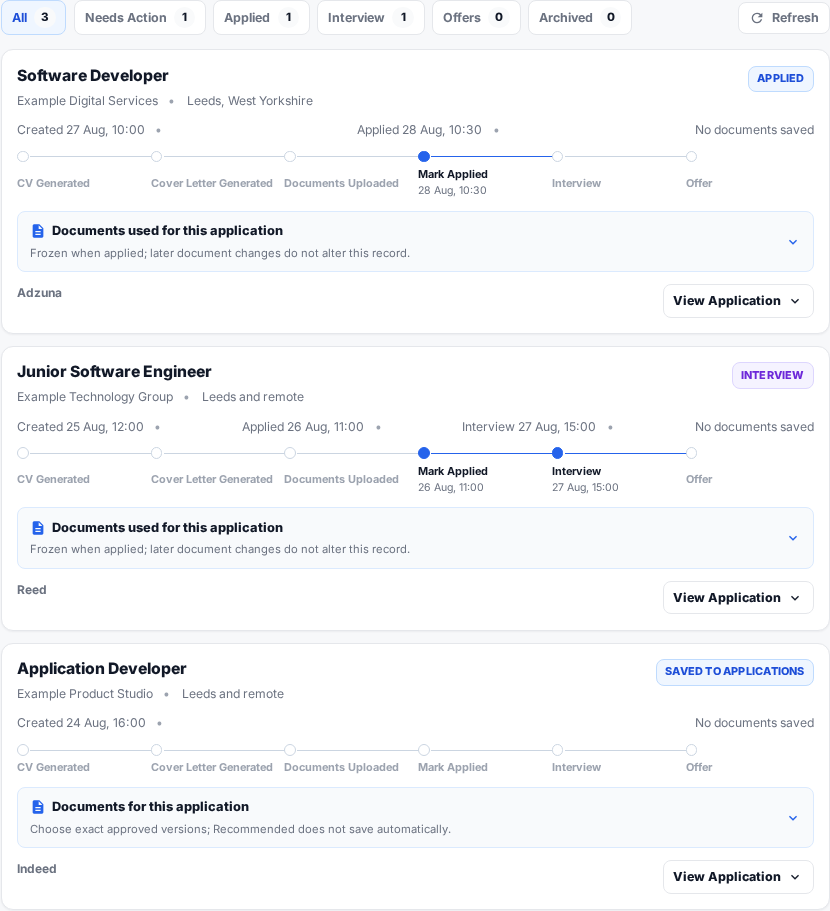
The timeline records the stages you enter. It is your personal tracker, not a live status feed from the employer.
Open View Application to review the vacancy and available actions. Record a stage only when it has really happened:
- Saved to Applications — you are considering or preparing the vacancy.
- Mark Applied — you submitted through the employer or provider.
- Interview — the employer invited you to an interview.
- Offer — the employer made an offer.
- Record an unsuccessful or archived outcome when appropriate.
When you mark an application applied, select the exact approved CV and cover-letter versions that you actually used, or record that a document was omitted. A Recommended choice is not saved automatically; verify the version before confirming. The submitted selection is then frozen as part of the application history.
6. Find and download documents
Open Documents to browse your retained document families. A family groups versions of one CV or cover letter for one job.
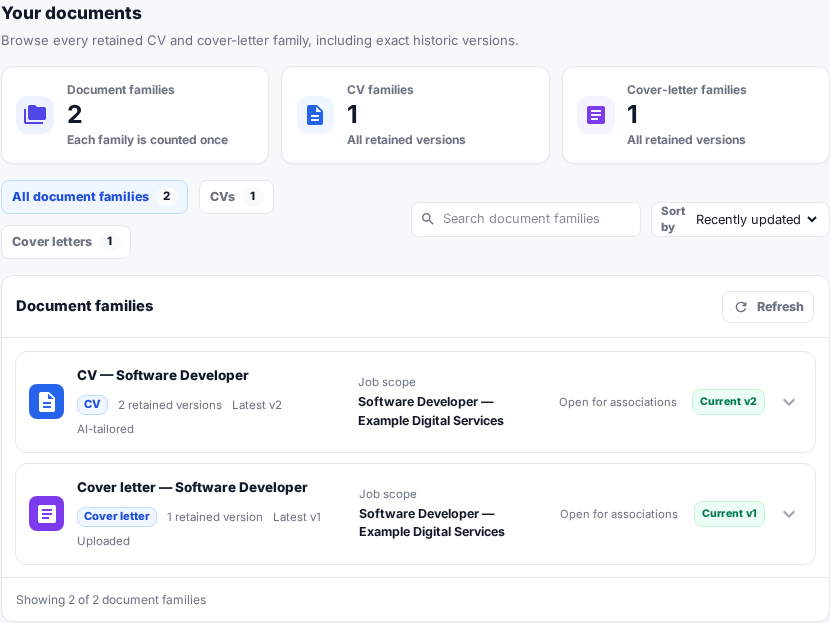
Use the CV and cover-letter filters, search box and sort control to find a family. “Current” identifies the version used as the default for new draft associations.
Expand a family to see its complete version history.
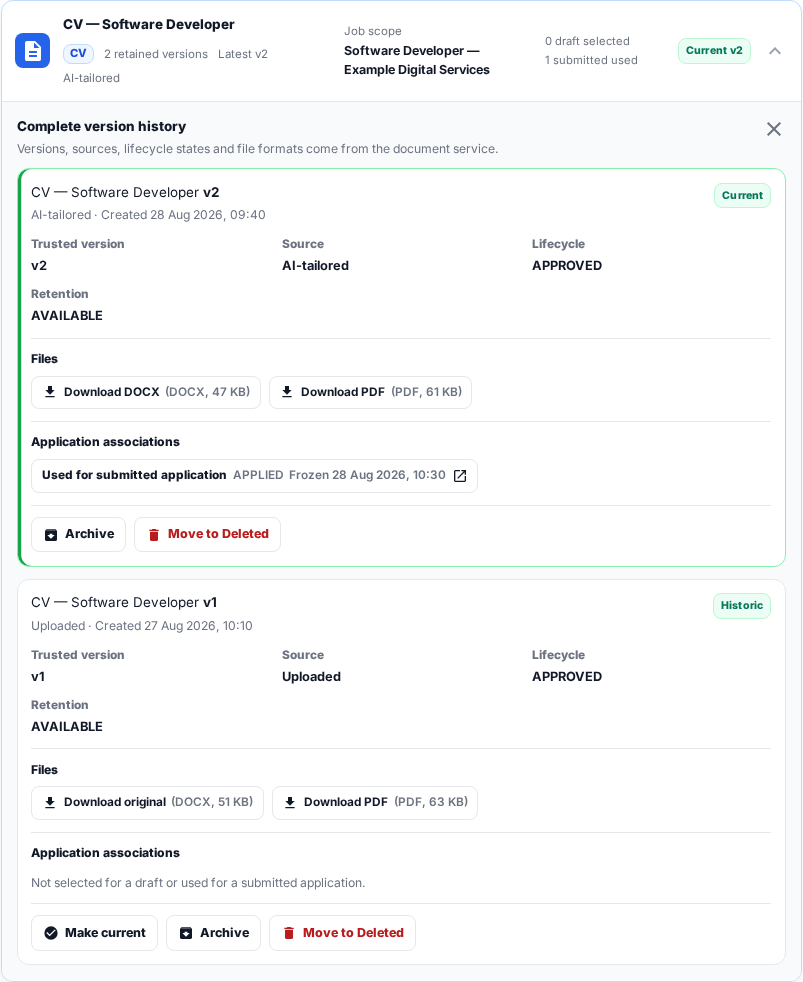
Each version can show:
- whether it was generated or uploaded;
- its version number, lifecycle and retention state;
- available original, DOCX and PDF files;
- whether it is current or historic; and
- any draft or frozen submitted-application association.
Use Make current only when you want that historic approved version to become the current one. Archive and Move to Deleted change retention; check that you no longer need the file first. A frozen record of what was used for a submitted application remains distinct from later edits.
Searching, viewing, downloading and ordinary document management do not use generations.
A safe application checklist
Before you regard an application as complete:
- Reopen the authoritative advert and confirm it is still open.
- Check every eligibility requirement yourself.
- Review the exact CV and cover letter you plan to submit.
- Submit using the employer's stated process.
- Return to Job Seeker Copilot and select Mark Applied.
- Confirm the exact documents used, then update the tracker as events occur.
For allowance and checkout help, continue to Generations and payments. If a document remains stuck or a generation appears to have been used without delivery, contact support@jobseekercopilot.com before repeating the request.